How to Draw a VR Headset (Easy Step by Step)
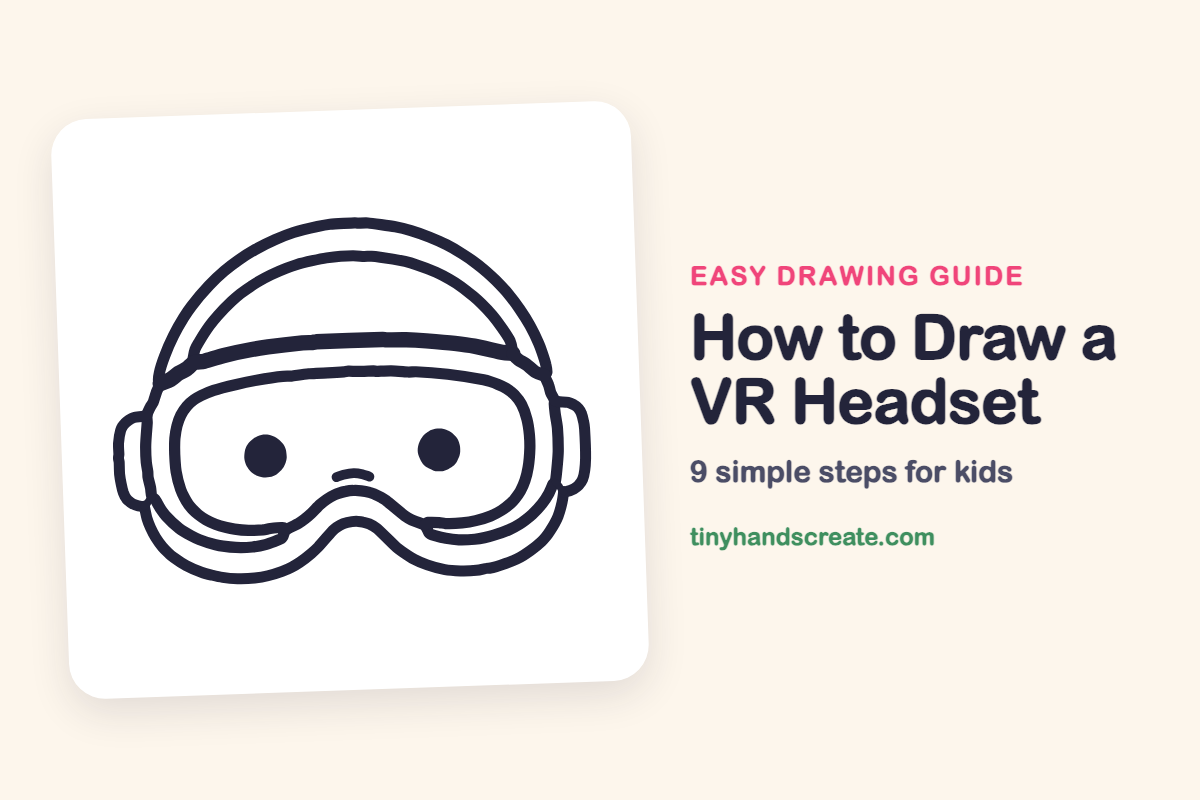
This guide teaches you how to easily draw a VR headset. You will learn to construct its shape using big curves, a rounded rectangle, and two dots to create a friendly robot-like face.
- You will start by drawing big curves for the headset's main form.
- You'll add a rounded rectangle to define the central body.
- You will use two simple dots to represent the eyes of the headset.
This post contains affiliate links. As an Amazon Associate I earn from qualifying purchases.
A VR headset is fun to draw because it looks like a friendly robot face. It is built from big curves, one rounded rectangle, and two dots for eyes.
- Easy
- 12 minutes
- 9 steps
You need: paper, a pencil, an eraser, and crayons or markers for coloring.
Start drawing
In this article (7 sections)
How to draw a VR headset step by step
How to Draw a VR Headset · tinyhandscreate.com
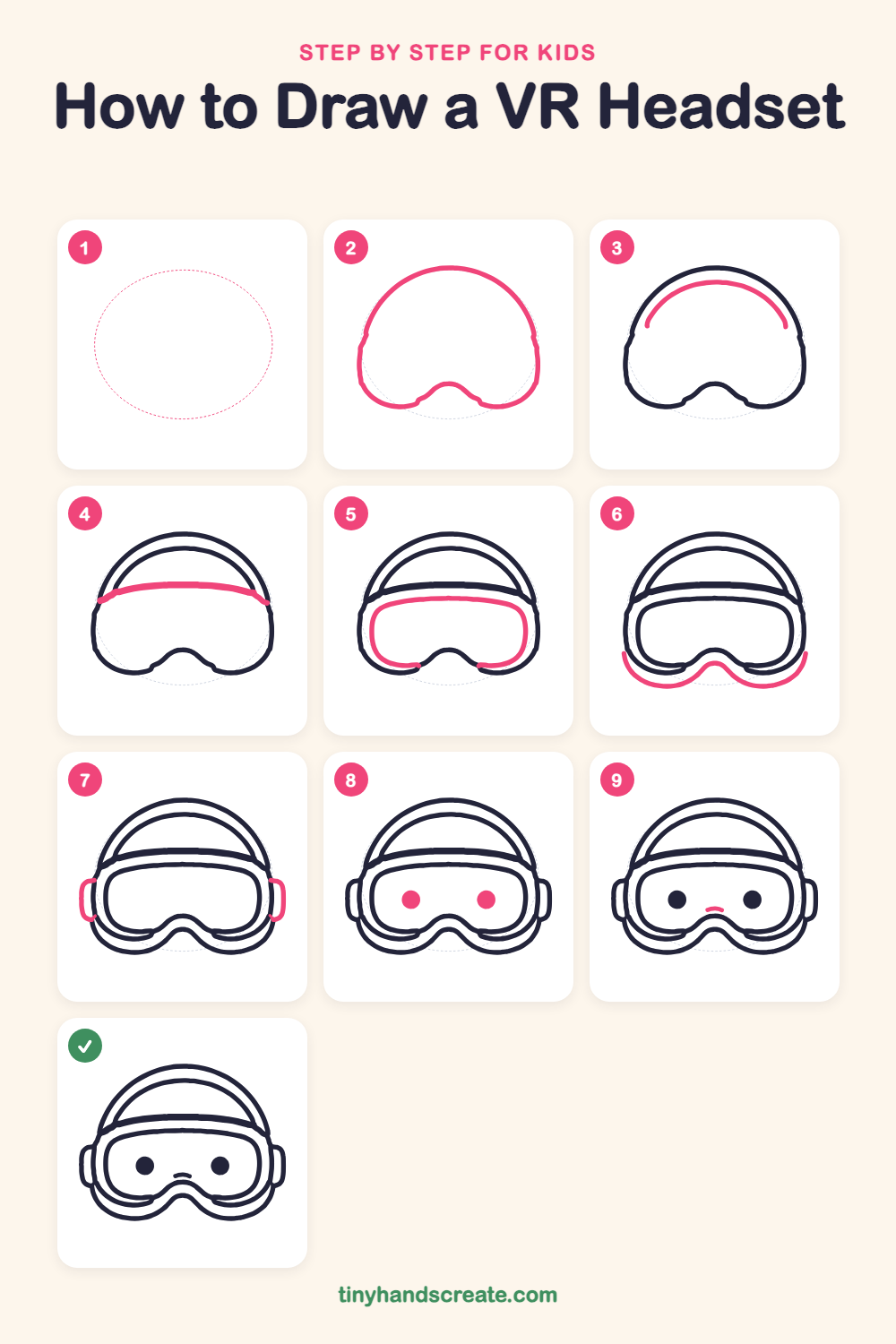
Step 1: Guide shapes
Lightly sketch this oval. It only shows where the big parts go, so press softly. You will erase it at the end.
Step 2: Outer headset outline
Start at the lower left and draw a big dome that curves up and over the top and down the right side. Then close the shape along the bottom, with a small bump in the middle like a nose bridge.
Step 3: Inner strap arch
Inside the top of the dome, draw a smaller curved arch that follows the same curve. Leave a little space between it and the big outline, and stop before the sides.
Step 4: The headband
Draw a thick, gently curved band across the dome, from the left side to the right side. It looks like a wide ribbon lying across the head.
Step 5: The goggle lens
Under the band, draw a big rounded rectangle with soft corners. Dip the bottom edge up in the middle to make a bump, so it fits around the nose bridge.
Step 6: The face cushion
Below the lens, draw a wavy line with a bump in the middle that curves up at both ends. It hugs the bottom of the headset like a soft smile.
Step 7: The side earpieces
On each side, draw a small rounded bracket that sticks out from the headset. Make both sides match.
Step 8: The eyes
Inside the lens, draw two round dots side by side and fill them in dark. Keep them the same size.
Step 9: The little nose
Between the eyes and a bit lower, draw a tiny curved line like a small hill. It gives the headset a friendly face.
All done!
Erase the guide shapes, go over your lines, then color it in.
Finished your VR headset? Keep the pencils out and learn how to draw a rocket or how to draw a shooting star next.
Tips for drawing a VR headset
- Draw the big outline lightly first, then trace over it. The dome is the biggest part, so it helps to get it smooth.
- The cushion with the bump in the middle is the trickiest part. Draw the bump first, then let the line sweep out to each side.
- Make the two side earpieces match by drawing one, then copying its height and width on the other side.
Free VR headset coloring page
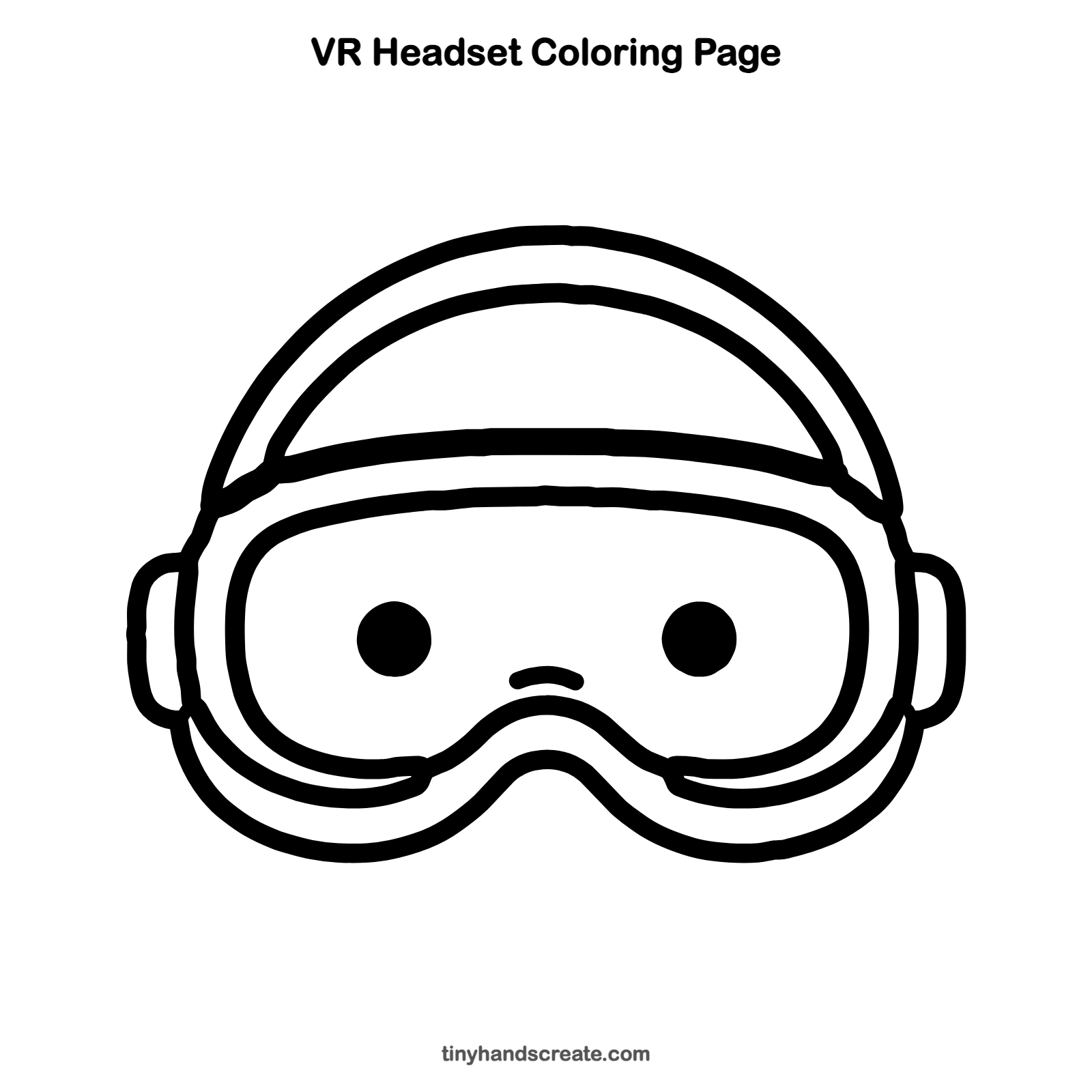
Want to go straight to coloring? Open this VR headset coloring page at full size and print it. It is the same drawing you just learned, with clean lines ready for crayons or markers.
How to color your VR headset drawing
Try white and gray for a clean look, with blue or purple for the lens area. For a creative twist, color the lens like a night sky full of stars.
VR headset fun fact for kids
The first head-mounted display for virtual reality, nicknamed the Sword of Damocles, was built by Ivan Sutherland in 1968. It was so heavy that it hung from the ceiling.
Questions about drawing a VR headset
What shapes do I need to draw a VR headset?
You need a big dome outline, a curved band, a rounded rectangle for the lens, and a wavy line for the cushion. Two dots for eyes and small curved brackets on each side finish it.
How do I make my VR headset look cuter?
Make the eyes big and round and add the little nose line between them. Rounded corners everywhere make it look soft and friendly.
Why does my headset look lopsided?
Try lightly marking a line down the middle first. Then draw each side to match the other, starting from the center.