How to Draw a Printer (Easy Step by Step)
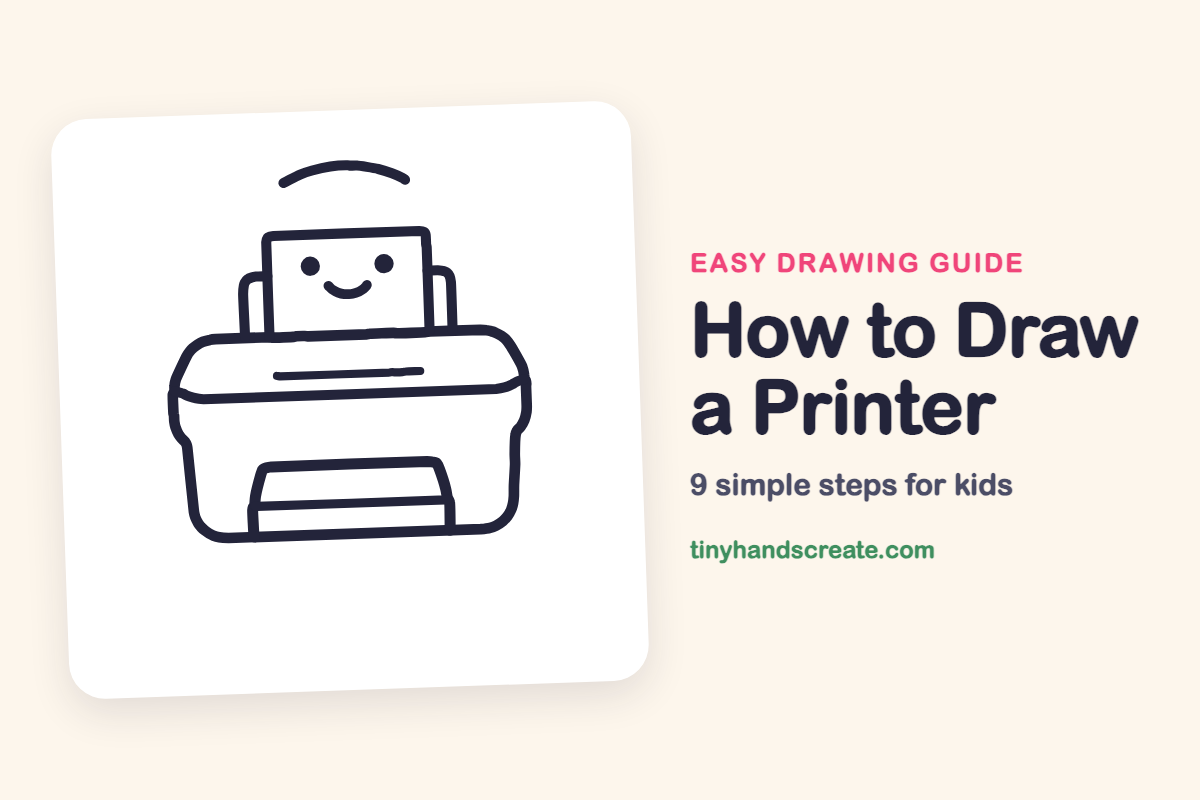
Learn to draw a friendly printer using simple shapes like a wide rounded box and a tall rectangle. This easy guide helps you practice drawing straight lines and neat corners, even adding a smiling face.
- Start your printer drawing with simple, basic shapes.
- Use a wide rounded box for the main body of the printer.
- Add a tall rectangle to represent the paper in the machine.
- Practice drawing straight lines and neat corners as you build.
- Consider adding a fun detail like a smiling face to your drawing.
This post contains affiliate links. As an Amazon Associate I earn from qualifying purchases.
A printer is a friendly machine built from simple shapes: a wide rounded box, a tall rectangle for the paper, and a few straight lines. This one even has a smiling face on its page. It is a great drawing for practicing straight lines and neat corners.
- Easy
- 10 minutes
- 9 steps
You need: paper, a pencil, an eraser, and crayons or markers for coloring.
Start drawing
In this article (7 sections)
How to draw a printer step by step
How to Draw a Printer · tinyhandscreate.com
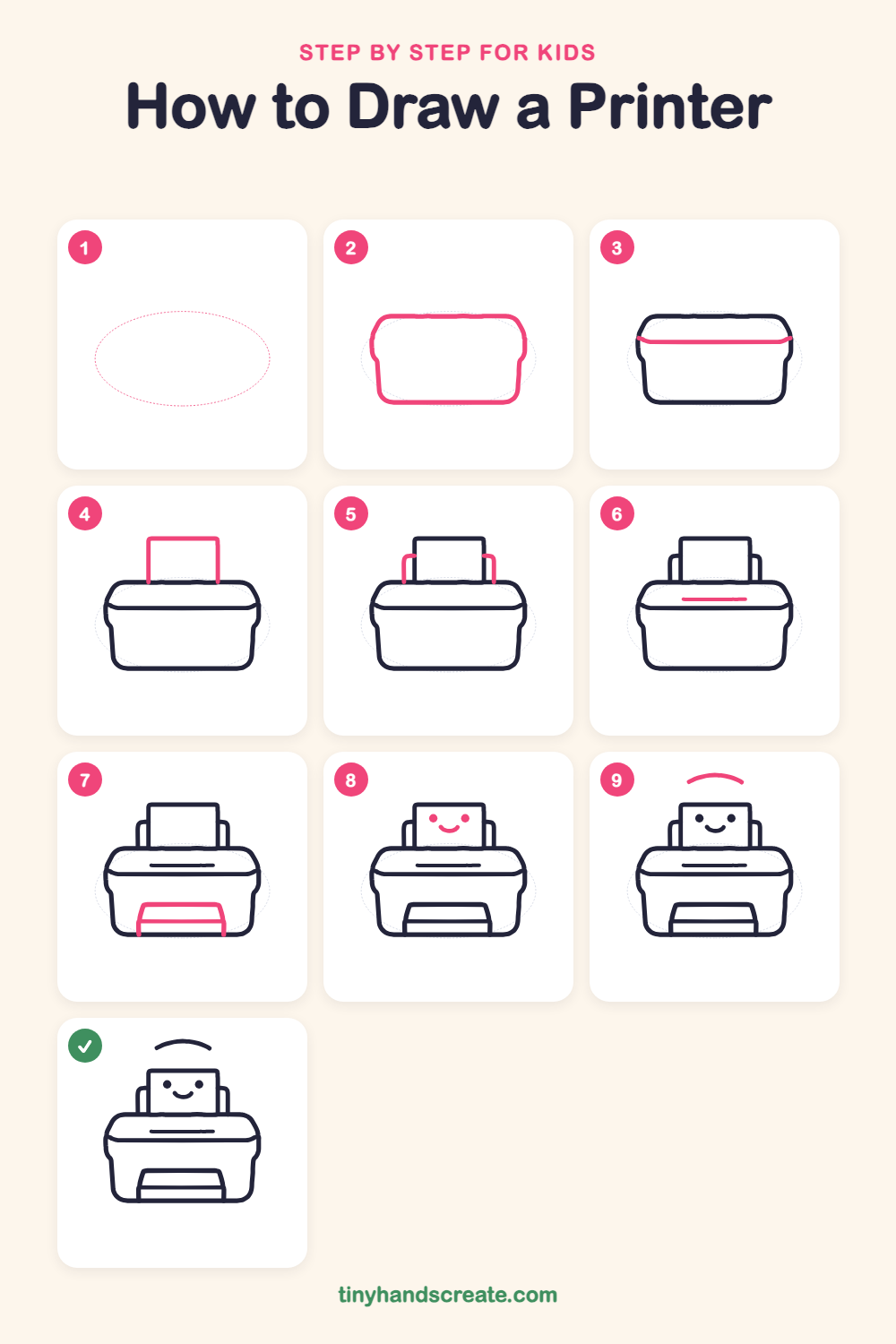
Step 1: Guide shapes
Lightly sketch this oval. It only shows where the big parts go, so press softly. You will erase it at the end.
Step 2: The printer body
Start with a big wide rounded box for the body of the printer. Give it a flat bottom, gently curved top corners, and sides that bulge out just a little.
Step 3: The lid line
Draw a long, gently curved line across the body, a little below the top, to show where the lid meets the base. Let it start and end at the left and right edges.
Step 4: The paper
Draw a tall rectangle sticking up out of the top of the printer. Start its two sides on the top edge of the body and leave the bottom open.
Step 5: Paper holders
Draw a short, bent line on each side of the paper, like an upside-down L with a rounded corner. Start each one at the top of the body and curve up and in so it nearly touches the paper.
Step 6: The paper slot
Draw a long, thin straight line in the middle of the printer's lid, below the paper. It is a skinny bar that sits flat across the lid.
Step 7: The output tray
At the bottom front, draw a short wide shape like a trapezoid, narrower at the top. Then draw a straight line across it, and two short lines down to the bottom of the body.
Step 8: A happy face
Put two round dots for eyes on the paper, side by side. Then draw a small curved smile, like a little bowl, underneath.
Step 9: The signal wave
Above the printer, draw one curved line like a small rainbow arc. It shows the printer is working.
All done!
Erase the guide shapes, go over your lines, then color it in.
Finished your printer? Keep the pencils out and learn how to draw a rocket or how to draw a shooting star next.
Tips for drawing a printer
- Draw the big body first and make it wider than it is tall. Everything else fits on top of it, so give yourself room.
- The paper is the trickiest part. Draw its sides straight up from the top edge of the body so it looks like it is sticking out.
- For the front tray, start with the top line and make the sides slant a little outward as they go down. Then the tray looks like it sticks out toward you.
Free printer coloring page
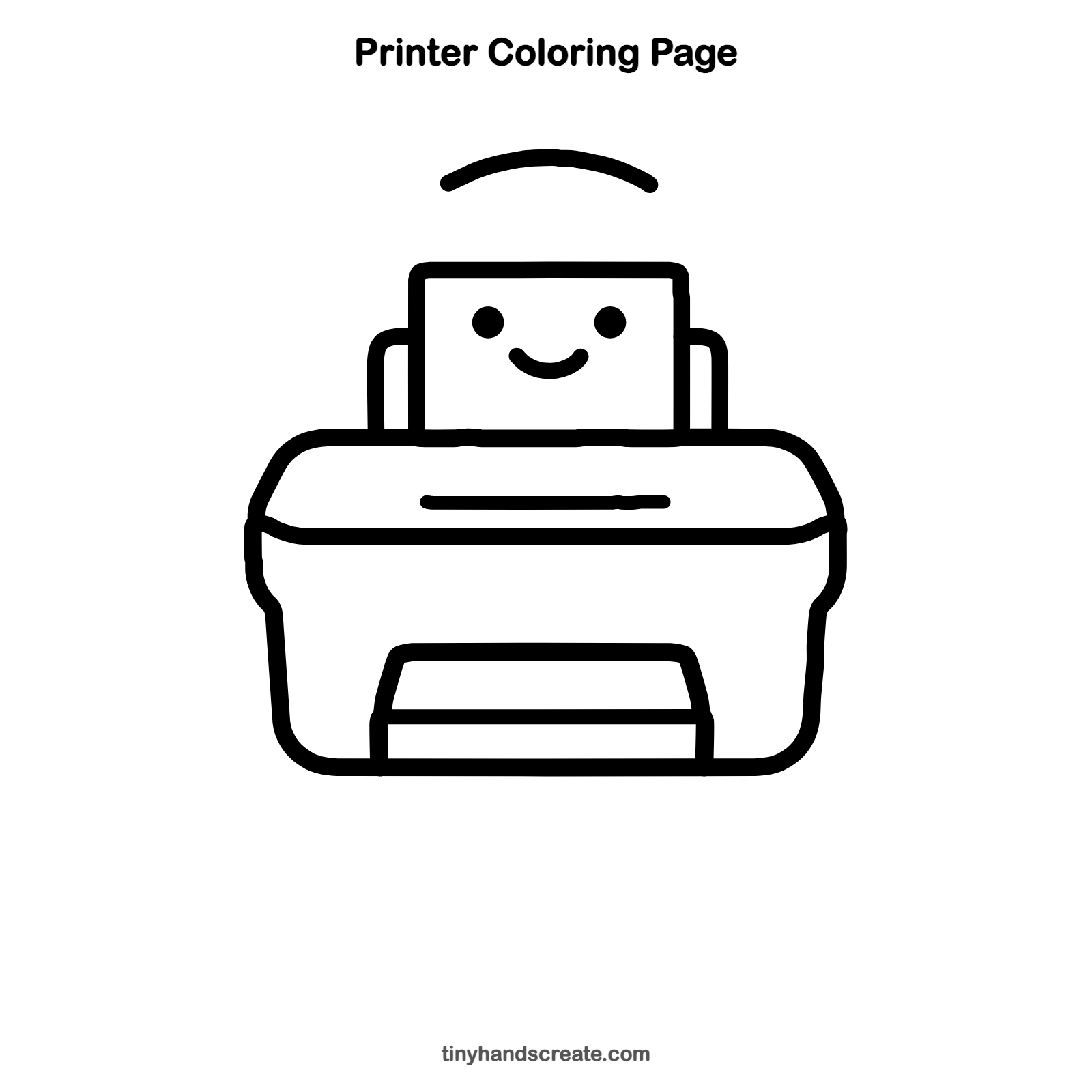
Want to go straight to coloring? Open this printer coloring page at full size and print it. It is the same drawing you just learned, with clean lines ready for crayons or markers.
How to color your printer drawing
Color the body light gray or sky blue and leave the paper white. For a creative twist, draw a colorful picture on the paper, like a sun or a rainbow, as if the printer just made it.
Printer fun fact for kids
Johannes Gutenberg built the first printing press in Europe around 1450. It used movable metal letters to print books much faster than copying them by hand.
Questions about drawing a printer
What shapes do I need to draw a printer?
You need a rounded rectangle for the body, a tall rectangle for the paper, and a trapezoid for the tray at the front. A few short curved and straight lines finish it.
How do I make my printer look cuter?
Add a face to the paper with two round dots for eyes and a small smile. Rounding off every corner also makes it look soft and friendly.
How do I draw the paper so it looks like it is coming out?
Draw the paper as a tall rectangle that starts at the top edge of the printer body and sticks up. The two curved holders on each side help it look held in place.