How to Draw a Kid Programmer (Easy Step by Step)
Learn to draw a kid programmer using simple shapes like ovals, rounded boxes, and rectangles. You'll discover how to combine these basic forms to create a friendly character with a laptop.
- Start your drawing with simple shapes.
- Draw the head as a big oval.
- Create the body using a rounded box.
- Form the laptop with a rectangle and code symbols.
- Add a wave and a smile to make your programmer friendly.
This post contains affiliate links. As an Amazon Associate I earn from qualifying purchases.
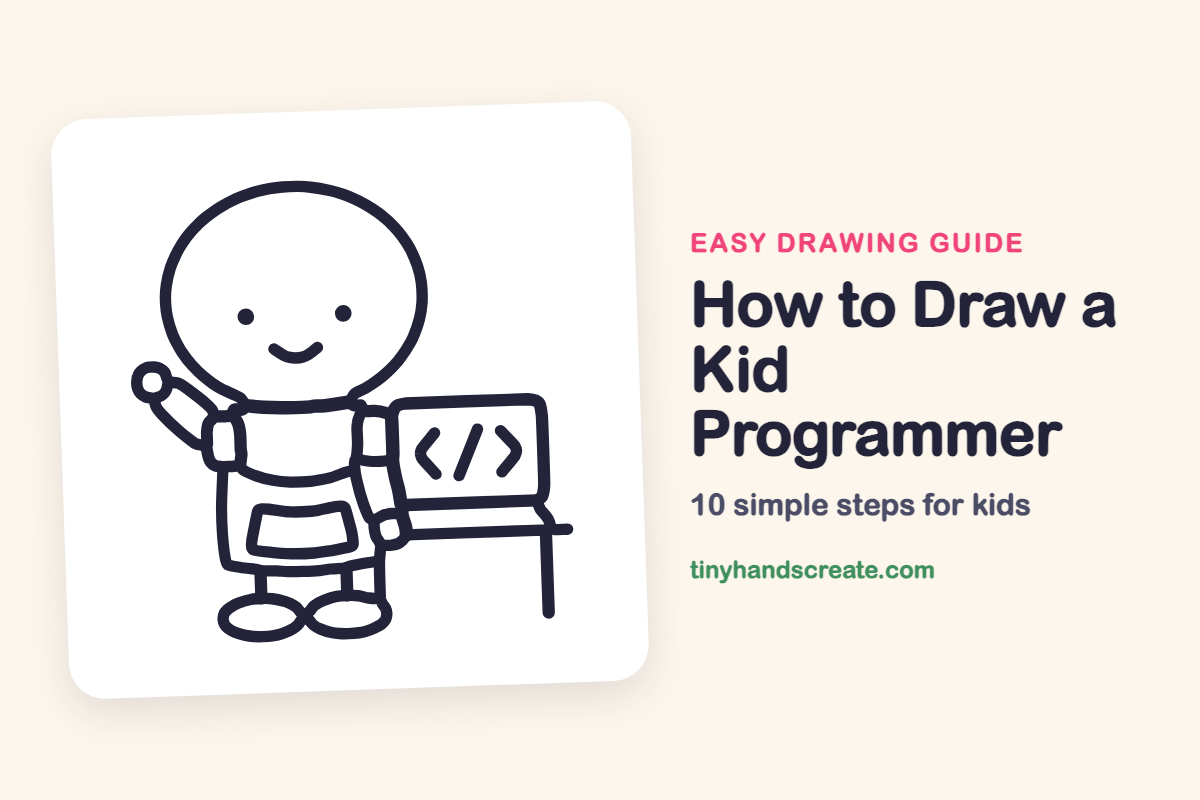
A kid programmer is fun to draw because the whole picture is made from simple shapes. The head is a big oval, the body is a rounded box, and the laptop is a rectangle with a few little code symbols on its screen. Once you can draw those shapes, you can add a wave and a smile to make your programmer friendly.
- Easy
- 12 minutes
- 10 steps
You need: paper, a pencil, an eraser, and crayons or markers for coloring.
Start drawing
In this article (7 sections)
How to draw a kid programmer step by step
How to Draw a Kid Programmer · tinyhandscreate.com
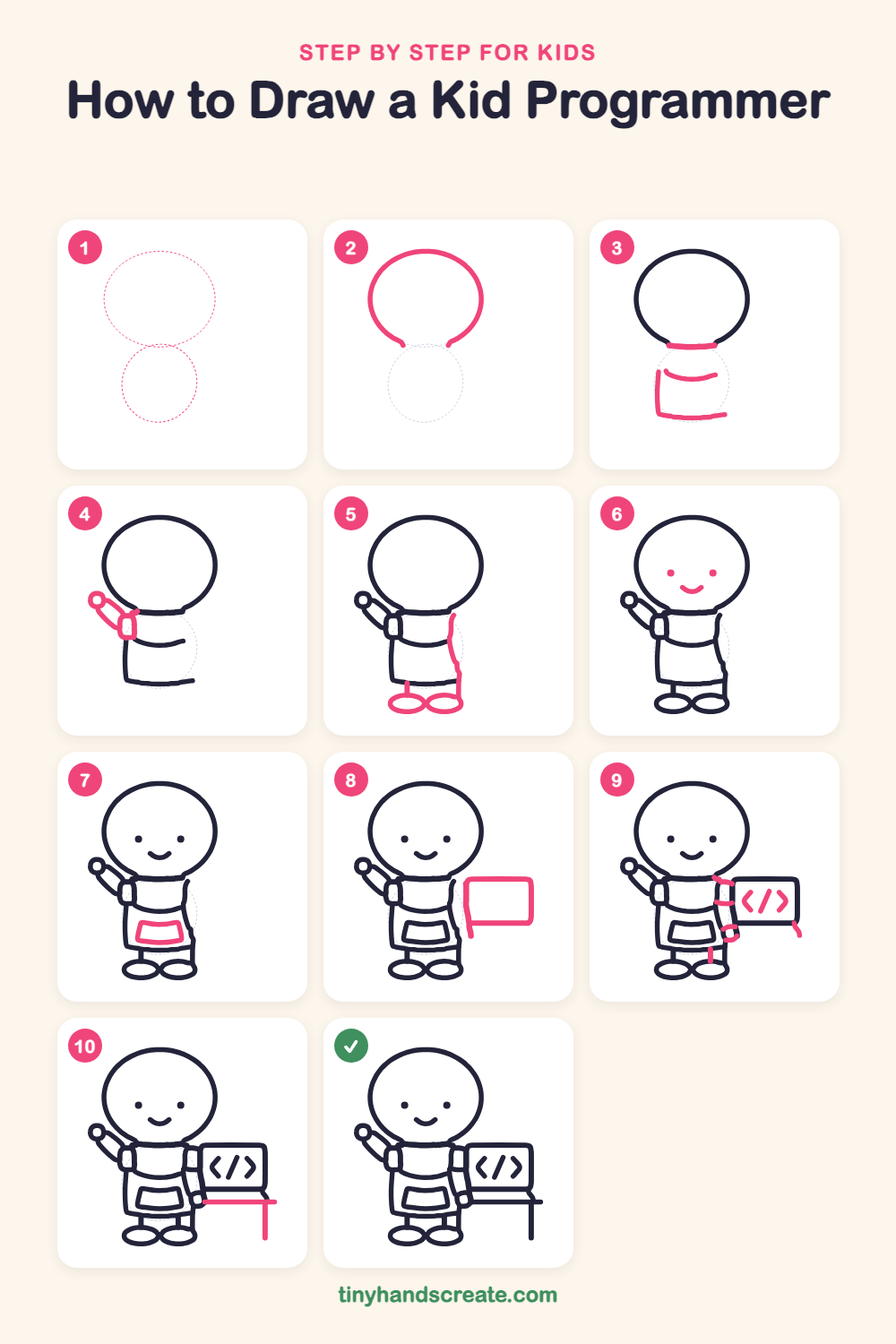
Step 1: Guide shapes
Lightly sketch these 2 ovals. They only show where the big parts go, so press softly. You will erase them at the end.
Step 2: The big round head
Start near the top of the page and draw a big, wide oval for the head. Stop when you get near the bottom and leave a small gap, so the neck can join later.
Step 3: Collar and body
Under the head, draw a short flat curved line for the collar. Below it, draw a curved line across the chest. Then draw a straight line down the left side and a flat line along the bottom for the shirt.
Step 4: Shoulder and waving arm
On the left side of the collar, draw a small rounded rectangle for the shoulder. From it, draw two slanted lines going up and out for the arm, and finish with a little circle for the hand.
Step 5: Legs, shoes and side
Draw the right side of the shirt with a line going down from the collar to the bottom. Under the body, draw two short straight lines for legs. At the bottom of each leg, draw a flat oval for a shoe, and let the two shoes touch in the middle.
Step 6: A happy face
Put two small dots in the middle of the head for eyes. Below them, draw a little curved smile like a bowl.
Step 7: The front pocket
On the middle of the shirt, draw a wide box that gets a little narrower at the bottom. This is the front pocket.
Step 8: The laptop screen
Next to the body on the right, draw a rounded rectangle for the laptop screen. Add a short line going down from the bottom left corner.
Step 9: Code symbols and arm
Inside the screen, draw a pointy arrow facing left, a slanted line in the middle, and a pointy arrow facing right. Then draw the second arm as a few short curved pieces going from the right shoulder toward the laptop.
Step 10: The table
Under the laptop, draw a long flat line for the tabletop. Finish with one straight line going down from near the right end for the table leg.
All done!
Erase the guide shapes, go over your lines, then color it in.
Finished your kid programmer? Keep the pencils out and learn how to draw a kid vlogger or how to draw a toymaker next.
Tips for drawing a kid programmer
- Draw the head oval first and make it big. The body is small underneath it, and that is what gives this programmer a cute look.
- The waving arm is the trickiest part. Draw two slanted lines that run side by side, then add the little circle hand at the top.
- For the code symbols, make the two pointy arrows the same size and put the slanted line exactly in the middle. Light pencil guide marks can help.
Free kid programmer coloring page
Want to go straight to coloring? Open this kid programmer coloring page at full size and print it. It is the same drawing you just learned, with clean lines ready for crayons or markers.
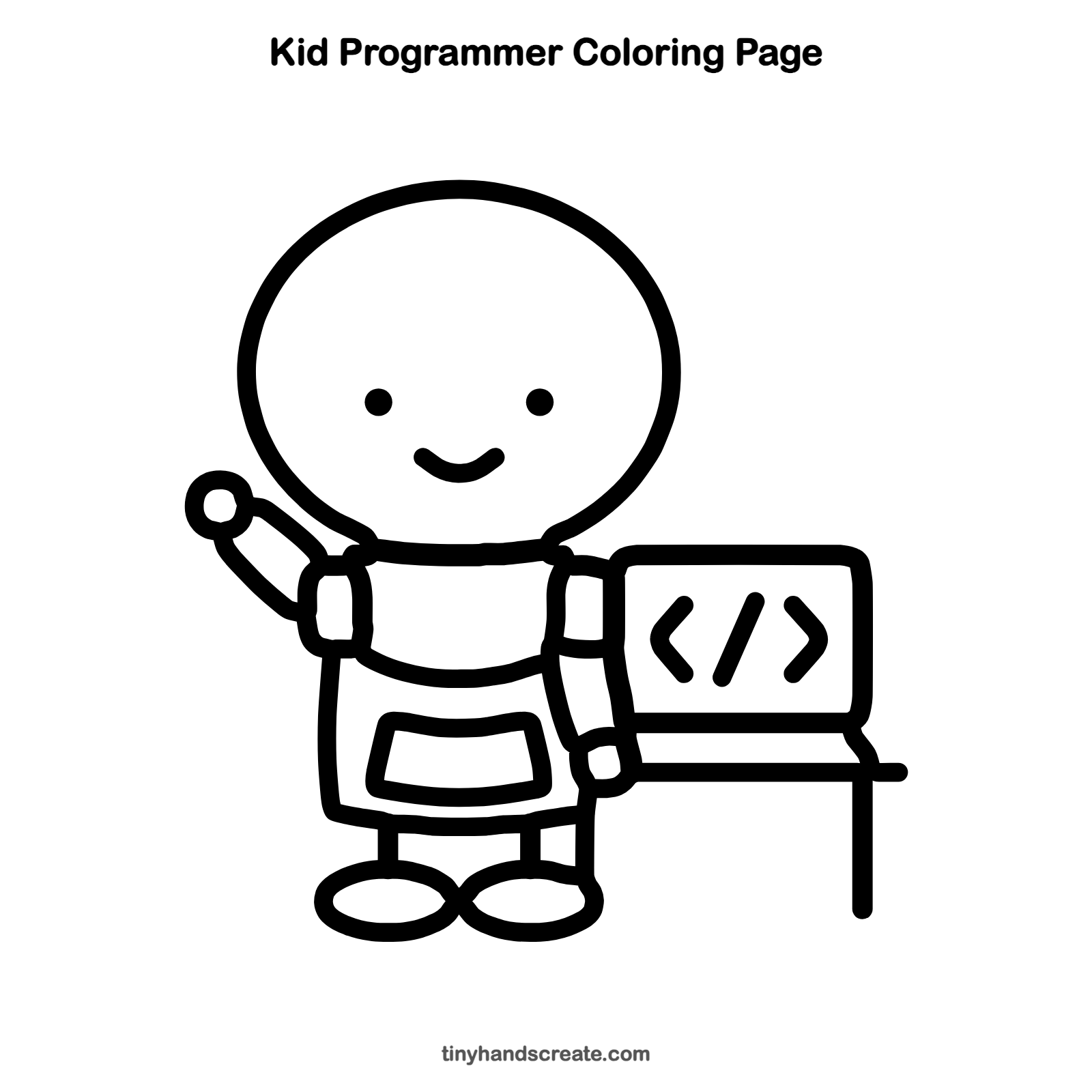
How to color your kid programmer drawing
Try a bright shirt and a pocket in a different color, and make the laptop screen a cool blue or green. For a creative twist, color the code symbols in rainbow colors, one color for each symbol.
Kid programmer fun fact for kids
Web pages are built with HTML tags, which are written between angle brackets like < and >. The symbols < / > on the laptop screen look like a closing tag, and programmers type tags like these to tell a browser what to show.
Questions about drawing a kid programmer
What shapes do I need to draw a kid programmer?
You need ovals for the head and shoes, rounded rectangles for the body, shoulder, pocket and laptop, and a few straight lines for legs and the table. The code symbols are just two arrows and a slanted line.
How do I make my programmer look cuter?
Make the head extra big and keep the eyes small and far apart. A curved smile and a waving hand also add a lot of charm.
How do I draw the laptop so it looks right?
Start with a rounded rectangle for the screen and put the code symbols inside. Then draw the table line just under it, and the laptop will look like it is sitting on the table.