Coding Activities for Kids Without a Computer
Discover how to teach your kids essential coding skills like sequencing, logic, and debugging without a computer. You'll learn fun, hands-on activities for preschoolers through elementary age that build computational thinking.
- Teach computational thinking skills like sequencing, logic, and debugging without screens.
- Engage preschoolers to elementary kids with fun, hands-on coding games and challenges.
- Use activities like Human Robot or Dance Code to develop sequencing and instruction following.
- Explore Cup Stacking or Debugging Challenges to build algorithms and problem-solving skills.
- Introduce conditional logic with If-Then games and binary code with creative bracelets.
This post contains affiliate links. As an Amazon Associate I earn from qualifying purchases.
Coding isn’t about computers—it’s about thinking. The skills that make great programmers (sequencing, logic, pattern recognition, debugging, and decomposition) can all be developed without ever touching a screen.
Unplugged coding activities teach computational thinking through play, movement, and hands-on challenges. Kids learn the foundations of programming while having fun, building skills they’ll use whether or not they ever write a line of code.
These activities work for preschoolers through elementary age, no technology required.
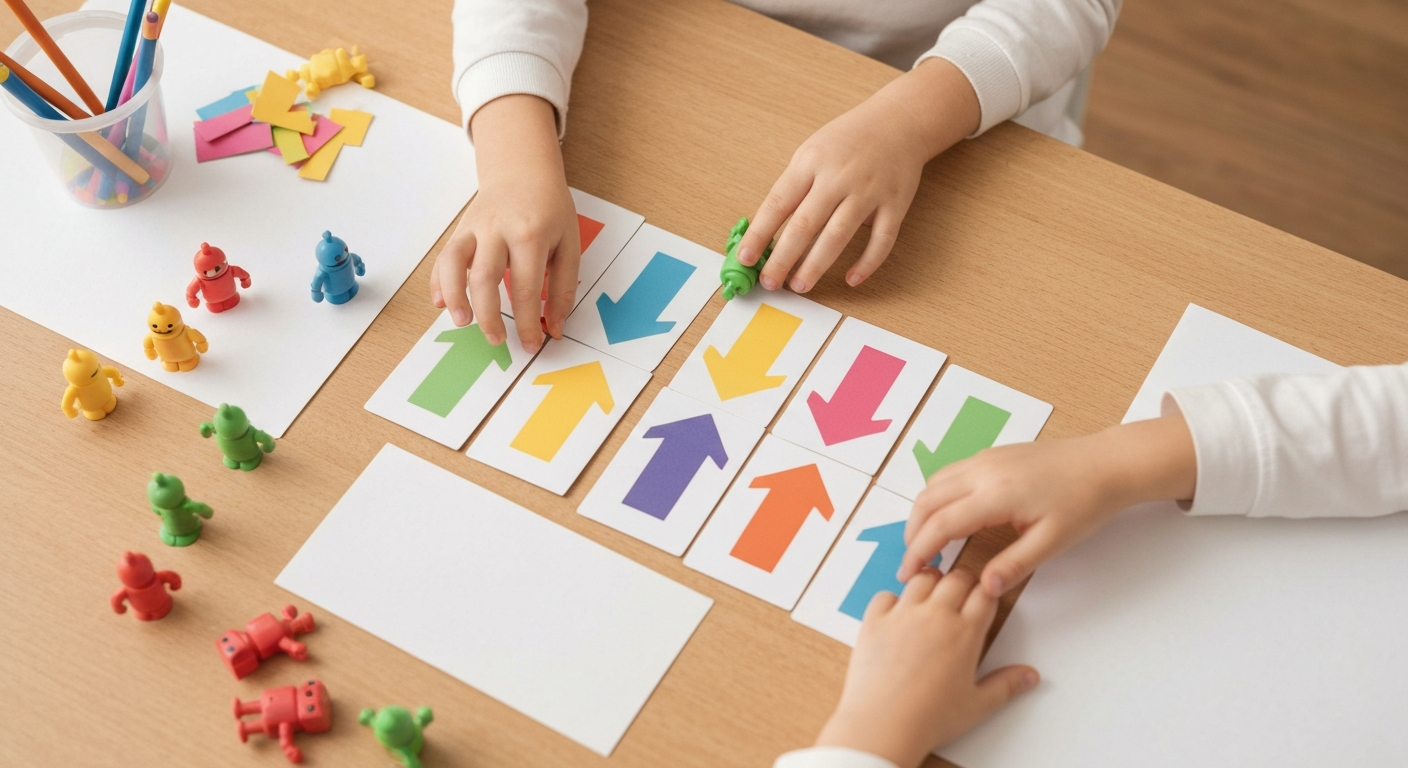
[IMAGE: Children playing coding game with cards and arrows on floor]
In this article (9 sections)
What Is Computational Thinking?
Computational thinking is a problem-solving approach used by programmers—but applicable to everything. It includes:
Sequencing: Putting steps in the correct order
Algorithms: Creating step-by-step instructions
Loops: Recognizing and creating repeating patterns
Conditionals: If/then decision making
Debugging: Finding and fixing errors
Decomposition: Breaking big problems into smaller parts
These skills transfer to math, writing, science, and everyday life. You don’t need a computer to develop them.
Beginner Activities (Ages 4-6)
1. Human Robot
How to play:
One person is the “programmer,” one is the “robot.” The programmer gives simple commands (forward, turn left, turn right, stop) to guide the robot to a destination.
Learning: Following precise instructions, sequencing
Variation: Robot can only understand specific commands (no “go to the chair”—must use step-by-step directions)
—
2. Sequence the Story
How to play:
Cut pictures of a familiar story (getting dressed, making a sandwich) into individual steps. Mix them up. Have child put in correct order.
Learning: Sequencing, logical order
Materials: Story cards, picture sequences, or draw your own
—
3. Dance Code
How to play:
Create “code cards” with dance moves (jump, spin, clap, stomp). Arrange cards in sequence. Perform the “program” by doing moves in order.
Learning: Sequencing, reading instructions
Extension: Add loop cards (“repeat 3 times”)
—
4. Pattern Detective
How to play:
Create patterns with objects (red, blue, red, blue, ___). Child identifies pattern and predicts what comes next.
Learning: Pattern recognition, prediction
Materials: Colored blocks, beads, stickers, or any sorted objects
—
5. Treasure Map Coding
How to play:
Create a simple grid on the floor (tape or draw). Place “treasure” somewhere on grid. Child creates instructions (forward, left, right) to reach treasure.
Learning: Directional coding, sequencing, spatial awareness
Easy STEM Activities for Preschoolers: Science Made Fun
Intermediate Activities (Ages 6-8)
6. Coding Board Games
Create your own:
Use a checkerboard or draw a grid. Create coding cards (move forward, turn left, turn right). Players draw cards and follow instructions to navigate a piece to the goal.
Commercial options:
- Robot Turtles
- Code Master
- Coding Farmers
Learning: Sequential thinking, planning ahead
—
7. Cup Stacking Algorithm
How to play:
Build a cup tower. Write step-by-step instructions for someone else to build the exact same tower. Test the instructions—do they work?
Learning: Writing algorithms, precision in instructions
Extension: Debug instructions that don’t work correctly
—
8. Debugging Challenges
How to play:
Write a set of instructions with an intentional error. Child finds and fixes the “bug.”
Example:
“Make a peanut butter sandwich: 1) Get bread, 2) Put peanut butter on bread, 3) Put bread in toaster, 4) Eat.”
(Bug: you don’t toast PB sandwiches!)
Learning: Debugging, critical thinking
—
9. Conditional Games
How to play:
Play “If-Then” games: “If I clap, then you jump. If I snap, then you spin.”
Variation: Add “else”: “If I say a number, jump. Else, spin.”
Learning: Conditional logic (if/then/else)
—
10. Binary Bracelets
How to play:
Teach binary (0s and 1s). Assign colors to 0 and 1. Convert letters to binary code and make friendship bracelets that spell names.
Learning: Binary code, data representation
Resources: Many free binary alphabet charts available online
[IMAGE: Child creating a binary bracelet with colored beads]
Advanced Activities (Ages 8-10)
11. Algorithm Art
How to play:
Write an algorithm for drawing (example: “draw a square, then draw a smaller square inside, repeat”). Trade algorithms with a partner. Follow each other’s instructions exactly.
Learning: Precision in instructions, loops, debugging
—
12. Encryption/Decryption
How to play:
Create a secret code (A=1, B=2, or shift cipher). Write coded messages. Trade with friends to decode.
Learning: Encoding, decoding, algorithmic thinking
Extension: Create your own cipher system
—
13. Function Machines
How to play:
Create a “function machine” (box with input/output slots). Put a number in, apply a rule (like “add 3”), give output. Partner guesses the rule.
Learning: Functions, patterns, variables
—
14. Graph Paper Pixel Art
How to play:
Use a grid. Write coordinates with colors to create pixel art. Trade instructions with a friend—can they recreate your picture?
Learning: Coordinates, precision, data visualization
—
15. Flow Chart Games
How to play:
Create flowcharts for everyday decisions (what to wear, what to eat). Follow the yes/no paths to reach conclusions.
Learning: Decision trees, conditional logic
Building and Construction Activities for Kids
Group Games and Movement Activities
16. Robot Tag
How to play:
One player is the programmer, calling out commands. Other players (robots) must follow commands exactly. Try to tag robots with “forward, forward, left, forward!”
Learning: Listening, sequencing, following precise instructions
—
17. Loop Dance Party
How to play:
Create dance routines using loops. “Clap 4 times. Spin 2 times. Repeat whole thing 3 times.”
Learning: Loops, counting, sequencing
—
18. Algorithm Relay Race
How to play:
Teams follow algorithm cards to complete relay race tasks. First team to complete all steps correctly wins.
Learning: Following sequences, teamwork, precision
—
19. Debugging Scavenger Hunt
How to play:
Write clues with intentional errors. Kids must find and fix bugs to discover next clue location.
Learning: Debugging, critical reading, problem-solving
—
20. Coding Hopscotch
How to play:
Create hopscotch with commands instead of numbers. Players call out commands as they jump.
Learning: Sequencing, physical activity, memory
Materials for Unplugged Coding
DIY Materials
Arrow cards: Draw arrows on index cards for directional coding
Grid mats: Tape grid on floor or use shower curtain with grid drawn
Sequence cards: Pictures of steps to sequence
Coding symbols: Create cards for commands
Low-Cost Purchases
- Graph paper
- Colored blocks or beads
- Dice
- Index cards
- Tape
Commercial Products (Optional)
- Cubetto (screenless coding robot)
- Robot Turtles (board game)
- Code Master (board game)
- Coding card decks
Tips for Teaching Unplugged Coding
Start Simple
Begin with 2-3 step sequences before complex algorithms. Build confidence before adding challenge.
Use Their Language
“Instructions,” “commands,” “steps,” and “directions” are more accessible than “algorithms” for young kids.
Emphasize Debugging
Normalize finding and fixing errors. Debugging isn’t failure—it’s learning!
Connect to Real Life
“See how we follow a recipe? That’s an algorithm!” Help kids see computational thinking everywhere.
Keep It Playful
These are games, not lessons. If it stops being fun, stop.
Crafty Mama
Crafty Mama is a former elementary art teacher turned stay-at-home parent who believes every child is creative — they just need the right invitation. She develops age-appropriate activities, crafts, and projects that spark imagination while keeping mess (and parent stress) to a minimum.
Frequently Asked Questions
Why teach coding without computers?
Unplugged activities build the thinking skills that underlie programming without screen time concerns, device requirements, or technical frustrations. They’re also more active and social.
At what age should kids start?
Simple sequencing (ages 3-4), basic algorithms (ages 4-5), more complex computational thinking (ages 6+). Match activities to developmental readiness.
Will this actually help if they learn to code later?
Absolutely. Studies show that computational thinking foundations transfer directly to programming skills. Kids who’ve done unplugged coding often pick up real coding faster.
My child is interested in computers. Should I skip unplugged activities?
No! Unplugged activities complement screen-based coding, not replace it. Even tech-savvy kids benefit from kinesthetic, hands-on computational thinking practice.
Can these activities be done in groups/classrooms?
Yes! Many work well for multiple children or classroom settings. Group games add collaboration and communication skills.
Conclusion
Coding is thinking, and thinking doesn’t require a screen. Unplugged coding activities build the problem-solving, sequencing, and logical thinking skills that make great programmers—and great thinkers in any field.
Try a few of these activities with your kids. Play Human Robot at the park. Create algorithm art at the kitchen table. Make debugging a game.
You’re building future-ready skills—no charger required.
Simple Science Experiments with Kitchen Ingredients
—